
ScolerAI opens straight into a conversation with your AI Study Coach — the hub of everything. Say what's coming up, answer a couple of sharp questions, and it proposes exactly one next step, then builds it for you: a study plan, a lesson, a quiz, flashcards, even a podcast.
History exam in two weeks — the Industrial Revolution. Where do I even start? 😅
With a plan — we have time to make a good one. How much can you realistically study, and on which days?
About 30 minutes, Tuesdays and Fridays.
That's plenty. Six focused sessions — social, economic, and political consequences — then a review and a practice quiz before exam day. Want me to build it?
Yes — build it 🙌
Tap the card and you're in — the coach already built it.
The Hub
The coach isn't a chatbot bolted onto the side — it's the switchboard of ScolerAI. You never hunt for the right tool; the coach picks it, fills in every detail from your conversation, and generates it on the spot.
"I have a physics exam on Friday and I'm behind…"
Nine outcomes, zero setup screens — and everything the coach builds lands in your library, your plan, and your progress tracking.
How It Works
No menus to hunt through. Your coach turns "I have an exam" into a concrete next step — in under a minute.
Open ScolerAI and you're greeted by name — the coach already knows your plans and deadlines, and asks what's on your mind. Speak or type.
Three at most — your goal, your time, your level. And if you open with a direct question, you get a real answer first, never a runaround.
The coach proposes exactly one action and builds it the moment you agree — a phased plan, a quiz, a lesson, flashcards. You land in the finished thing, not in a form.
"I have a biology final in nine days." That's all it takes — the coach handles the rest.
Start the ConversationSnap a photo of your syllabus, upload an exam calendar, or drop in a textbook. AI builds a personalised, chapter-aware study plan with the right tools for each stage.
Topic, level, goals & files
2–3 targeted questions
Phased tasks & tool recs
Review, regenerate or save
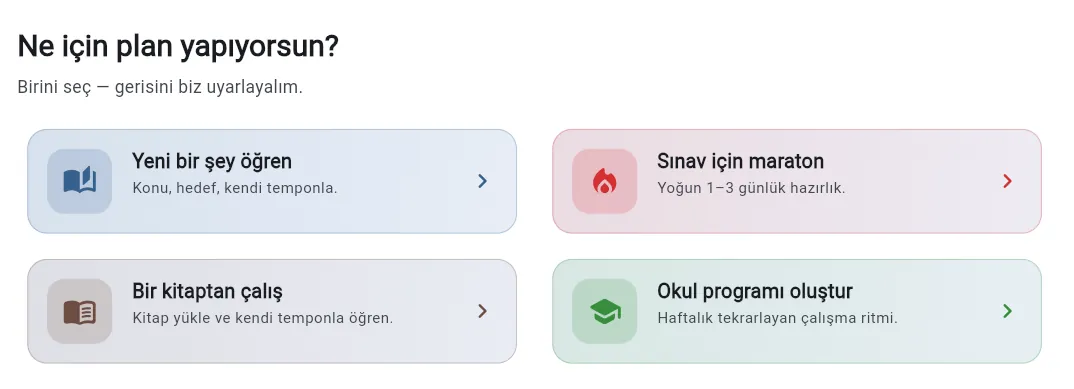
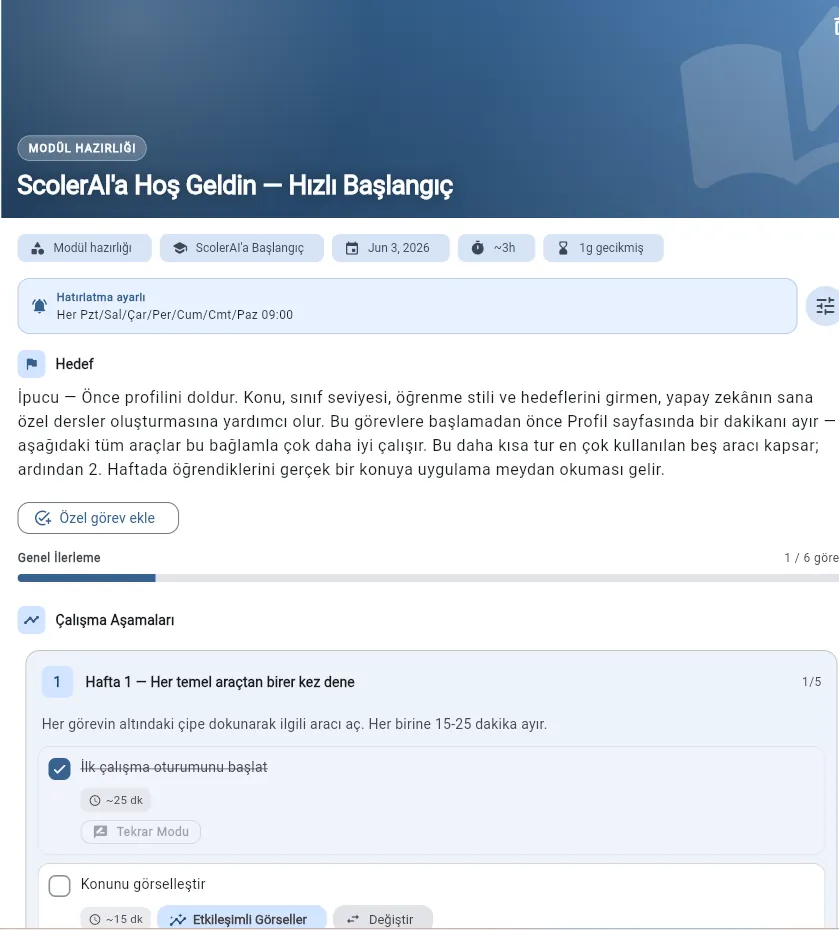
Tool recommendations mapped to Bloom's Taxonomy levels
Book Study mode — turns uploaded textbooks into chapter-by-chapter task plans
AI School Plan Analyzer — detects study debt & suggests catch-up sessions
Automatic task creation with estimated durations
AI-powered plan adjustments as you progress
Your files don't sit in a dead folder. ScolerAI parses books into chapters and sections, stores them in a central library, and makes them reusable across Adaptive Study, Smart Planner, notes, quizzes, and assistants.
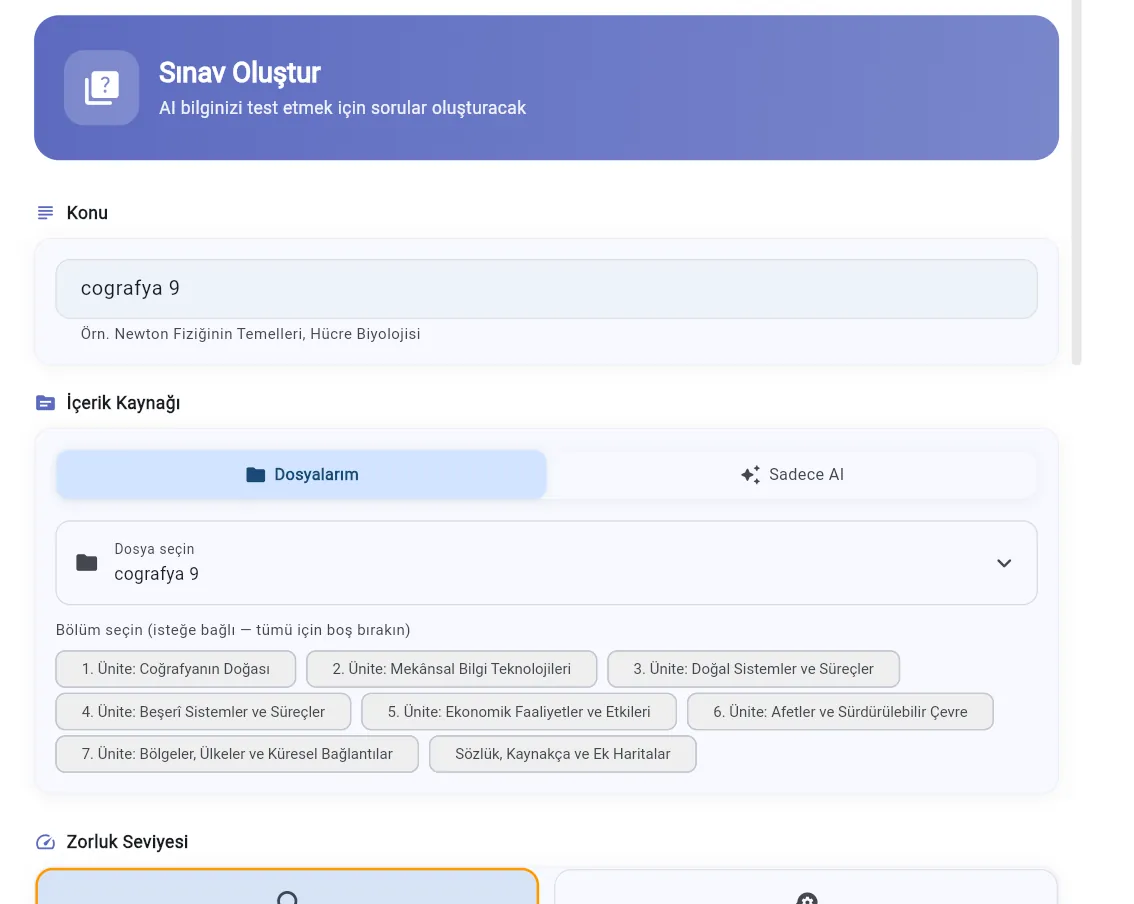
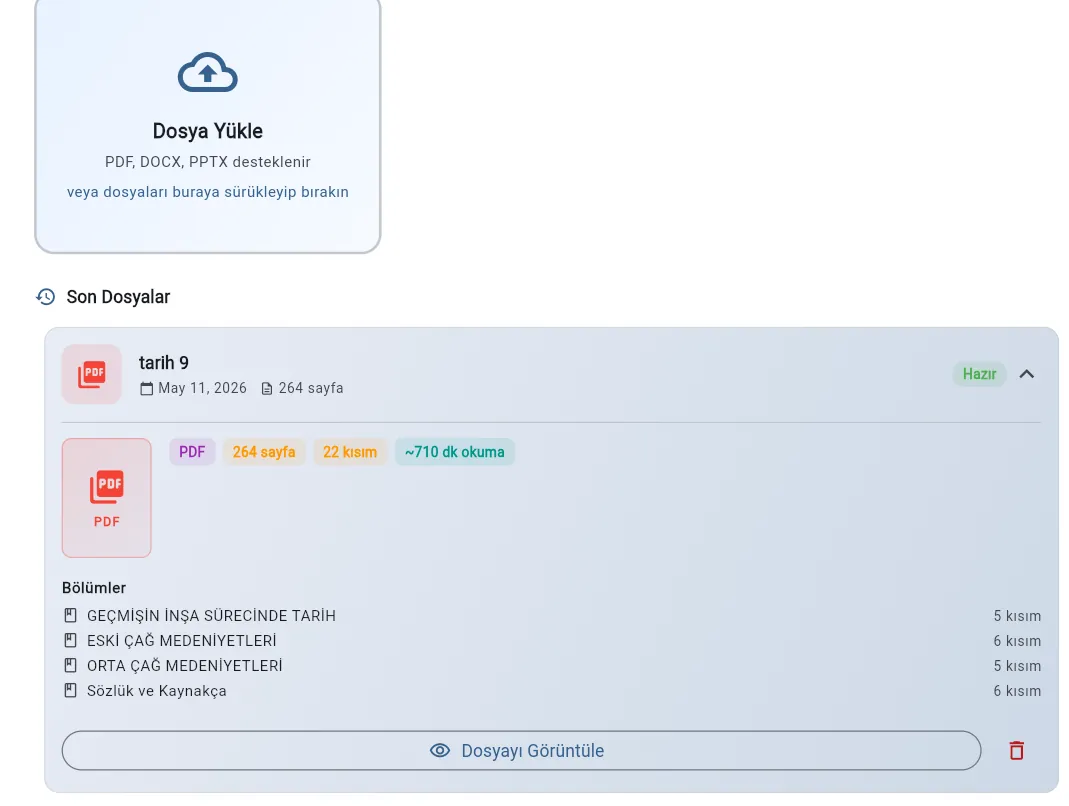
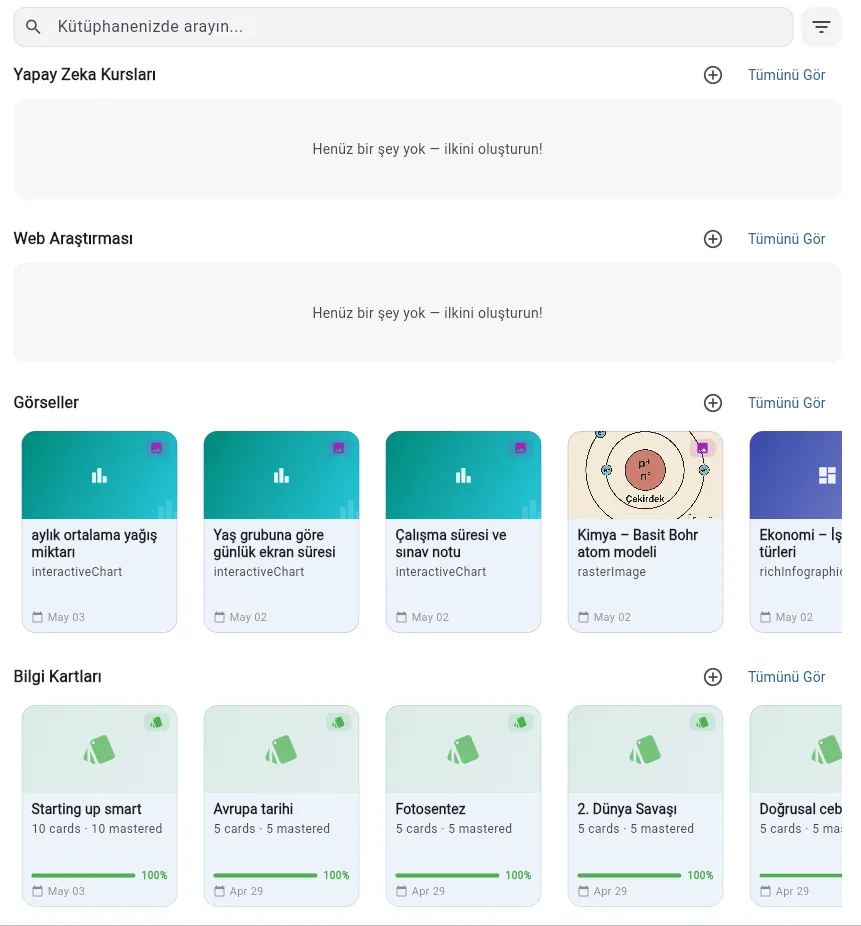
Use the same file for adaptive sessions, RAG chat, AI notes, quizzes, podcasts, and more — no re-uploading.
Textbooks are parsed into chapters and sections so the AI can teach in the same structure your course uses.
Pick a section and instantly turn it into a guided study session, revision flow, or question-answer chat.
Uploaded books can generate smart study plans with daily pacing, review days, and task estimates.
Full-text search across titles and content, with filters by type, subject, date range, and completion status.
Tap any item to jump straight back into the original page — continue a session or revisit a finished one.
Core Learning Engine
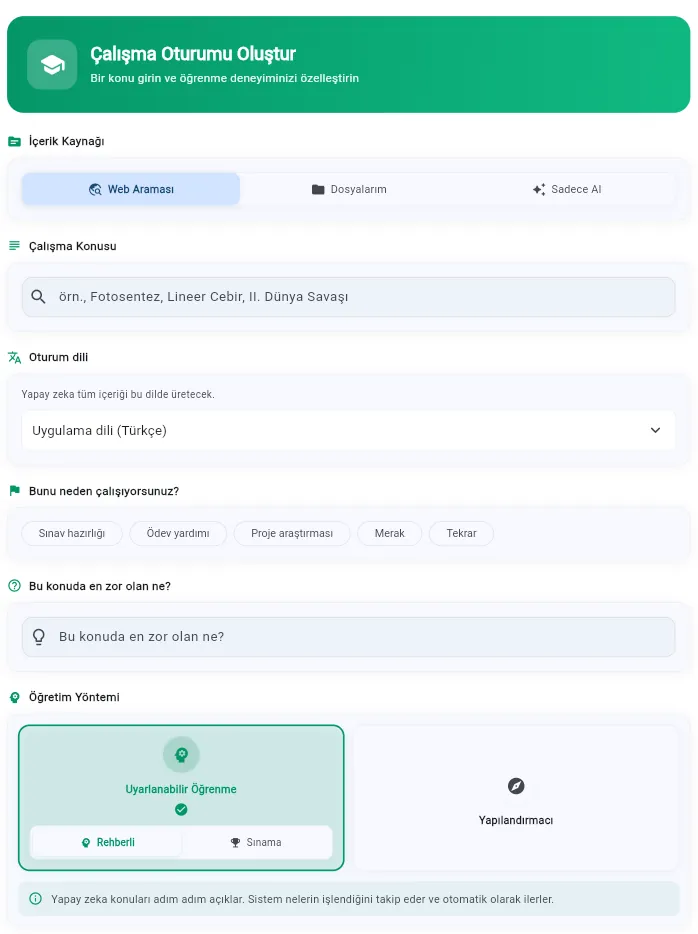
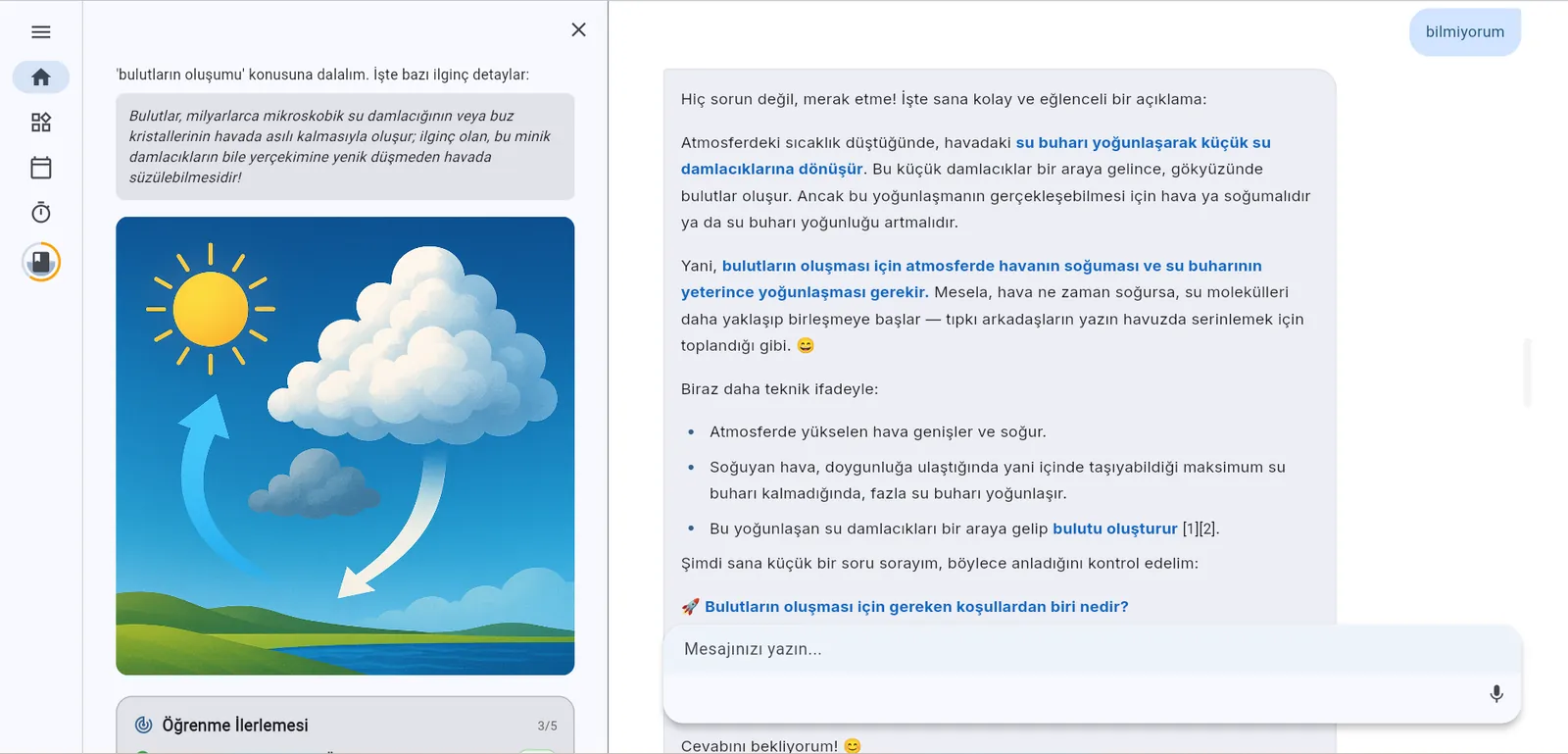
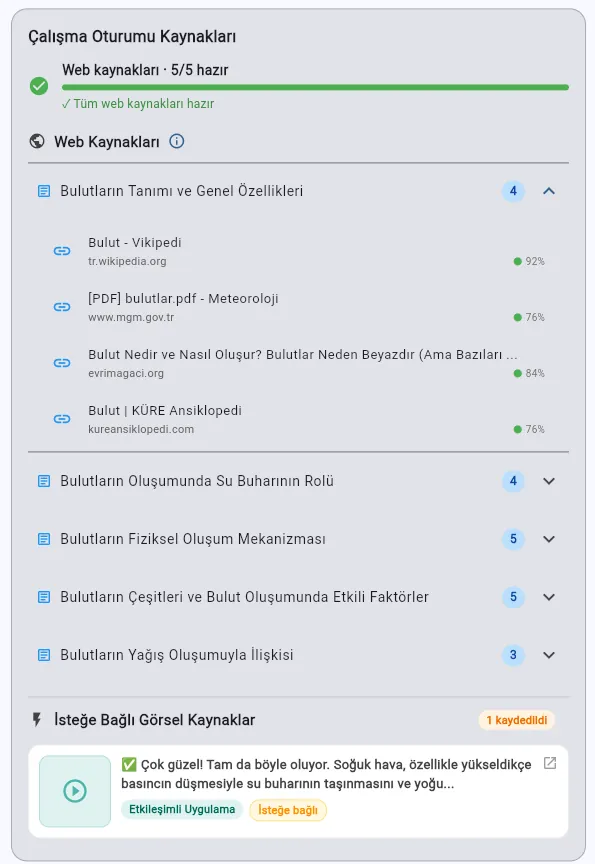
Start from a topic or an uploaded book. ScolerAI generates a structured curriculum of headings or uses the detected chapter and section structure from your file, then guides you through each one with a focused, quiz-gated progression. An independent AI analyzer evaluates your understanding — the tutor never self-grades. Choose Guided to let the AI pace you step by step, or Challenge to prove your understanding before each step unlocks.
Homework help that doesn't stop at the answer. One chat with four expert modes — Tutor, Web, Reason, and Math — coached by an AI that knows your level, your goals, and your language.
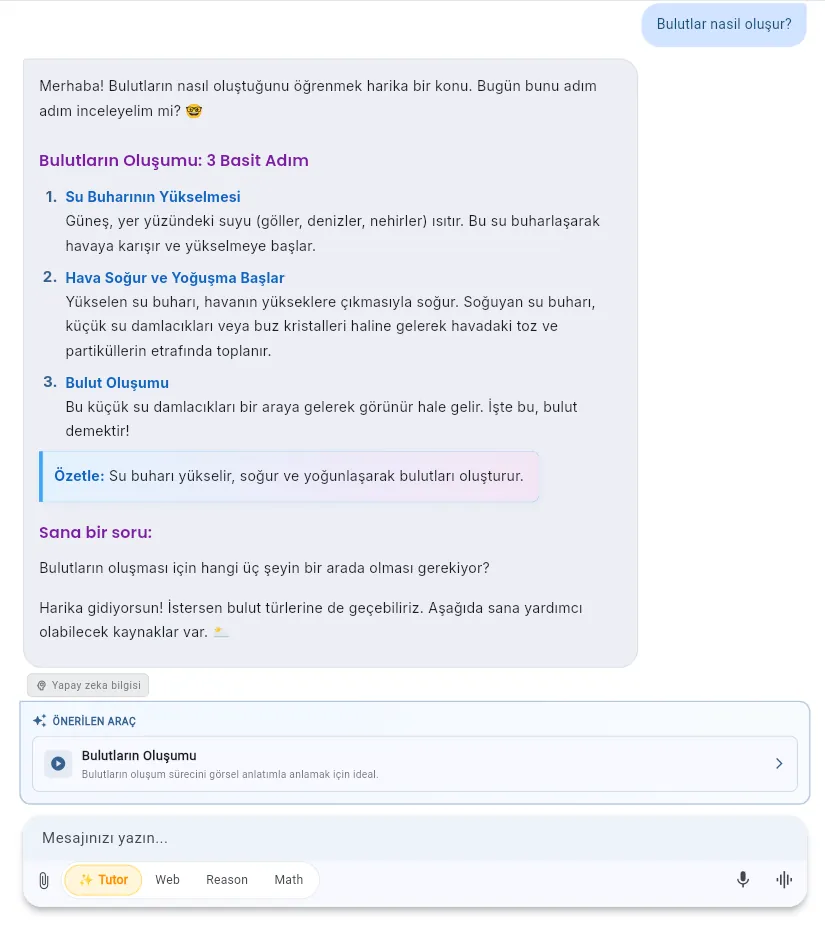
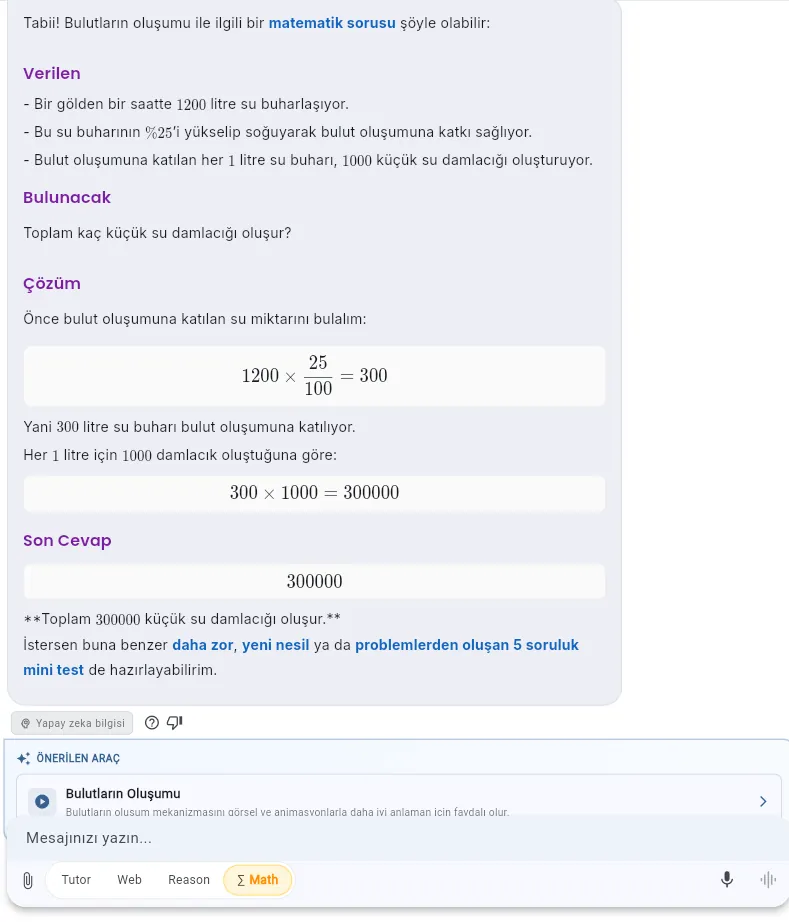
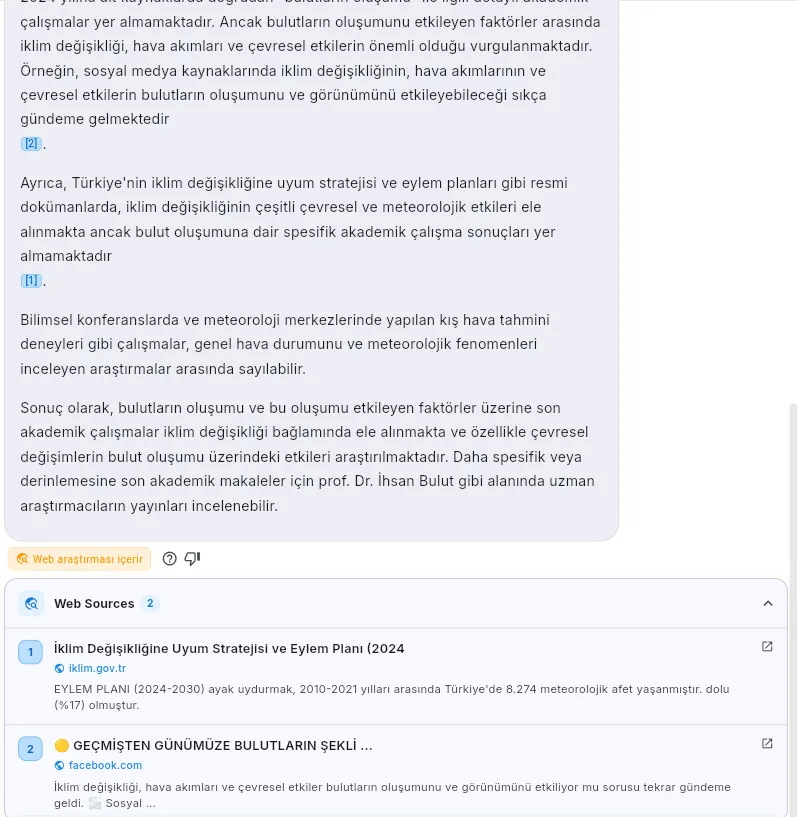
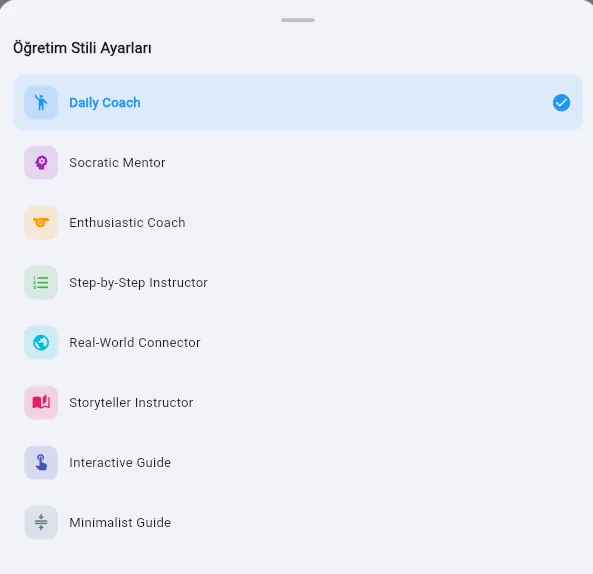
Tutor coaches you, Web researches with live sources, Reason thinks through hard problems, Math solves them properly — switch with a tap, mid-conversation.
Web mode reads real pages and backs every claim with numbered, clickable sources. Every answer is labeled with its provenance — web research, your documents, or AI knowledge.
Given → Find → Solve → Answer, rendered in clean LaTeX. Then ask for a harder one, a fresh variant, or a 5-question mini test on the spot.
Answers end with a quick check-question so it sticks — and when you want more, your coach turns the same topic into a full lesson, quiz, or flashcard set.
Type it, say it, or snap a photo of your homework. Files and images welcome — and replies always match your language.
Switch anytime — even mid-conversation.
Progress Tracking
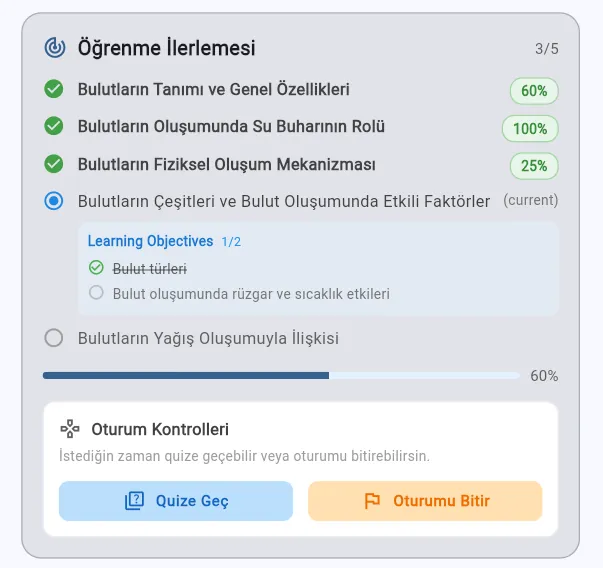
Every sub-topic has its own progress bar. The AI won't move on until you've demonstrated real understanding.
Weekly study charts, mastery scores, activity heatmaps, quiz analytics, and AI-powered study suggestions — ScolerAI tells you exactly what to study next.
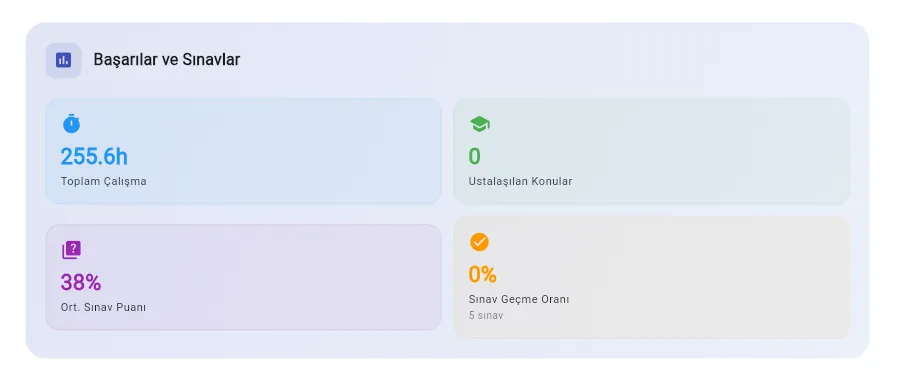
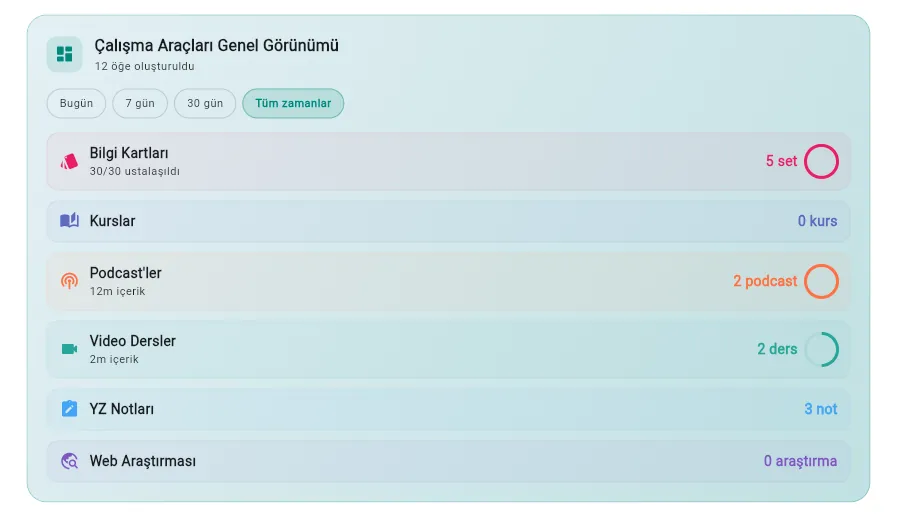
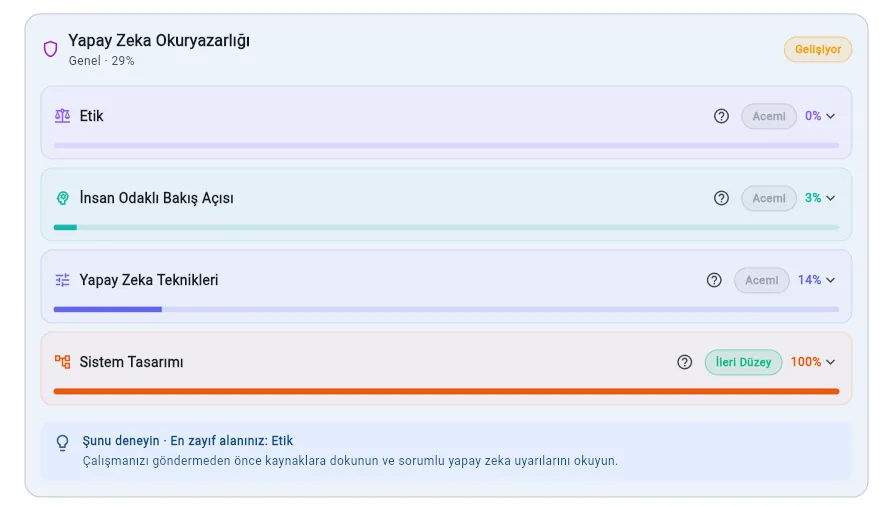
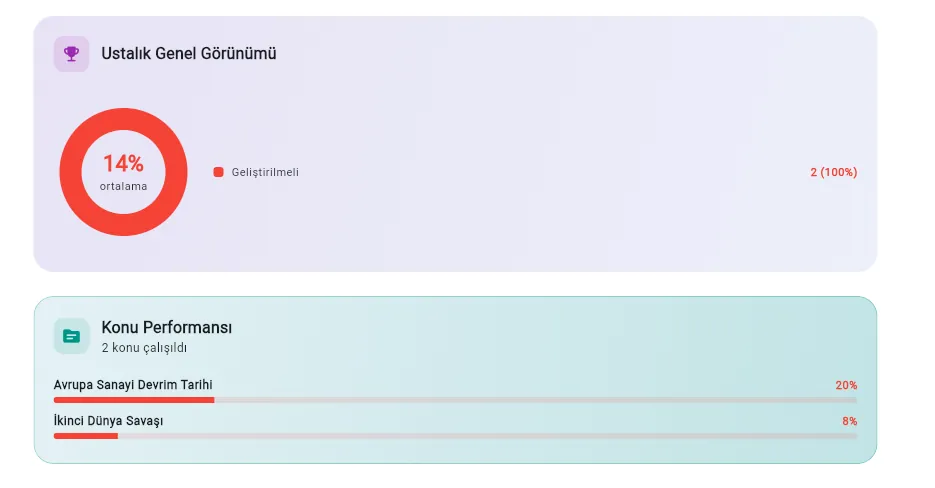
Visualize your daily study minutes with a beautiful bar chart. Compare week-over-week progress and keep your streak alive.
See your knowledge levels across all topics — from Needs Improvement to Excellent — with an intuitive donut chart.
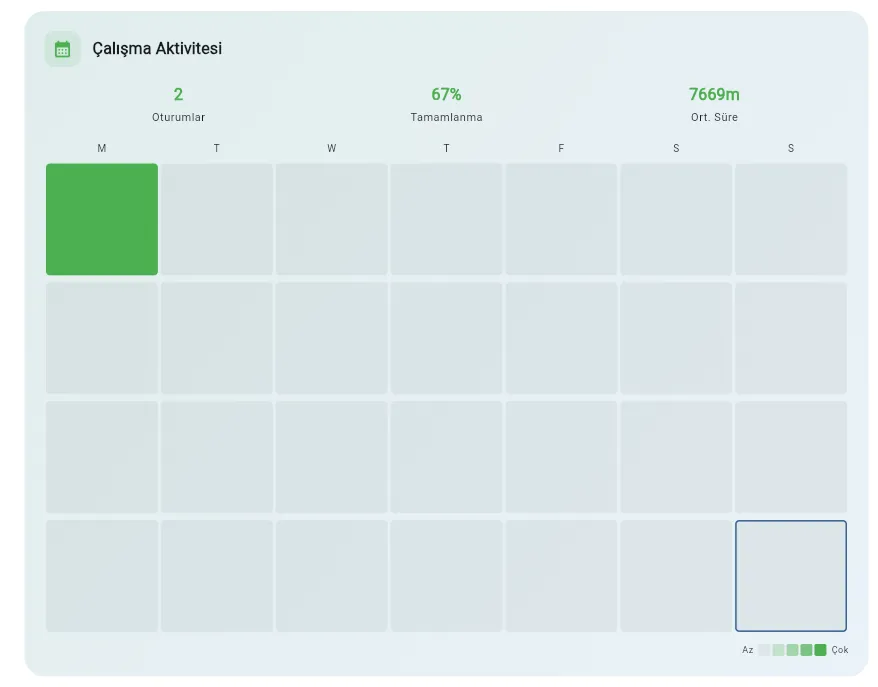
A GitHub-style 28-day grid that shows your daily study consistency at a glance. Build habits that stick.
Track your average quiz scores, pass rates, and topics mastered. Know exactly where you excel and where to focus next.
ScolerAI analyzes your quiz scores, completion rates, and weak subjects — then tells you exactly what to study next with Quick Study Launcher shortcuts.
ScolerAI tracks four dimensions of learner growth in every session. You don't just get a score — you see exactly how you're developing as a thinker, creator, and responsible AI user.
Can you explain concepts in your own words? Tracked via mastery scores, explanation checkpoints, and heading completion.
82%Can you use what you learned? Measured through quiz scores, mid-session checks, and retry improvement.
74%Can you produce something new? Tracked when you generate notes, flashcards, or teach-back explanations from a session.
58%Do you verify sources and think critically? Measured by citation taps, nudge engagement, and setting your learning intent.
91%Illustrative example — your own dashboard shows your real scores.
Great work on functional groups! Let's test your understanding — what happens when you add an -OH group to a hydrocarbon chain? 🧪
Every session contributes to Understanding, Application, Creation, and Responsible AI Use — all computed from real learning signals, not self-reports.
A live 3-step indicator (Understand → Apply → Create) shows your current learning phase and updates as you progress through each session.
Smart, contextual micro-tips appear when relevant — reminding you to verify sources, think critically, and own your learning. Never spammy.
After each quiz or session, the AI recommends your next best tool — flashcards, notes, or teach-back — based on your current learning phase.
Every AI answer is tagged with its source — web research, your uploaded documents, or model knowledge. Full transparency on where information comes from.
Document Intelligence
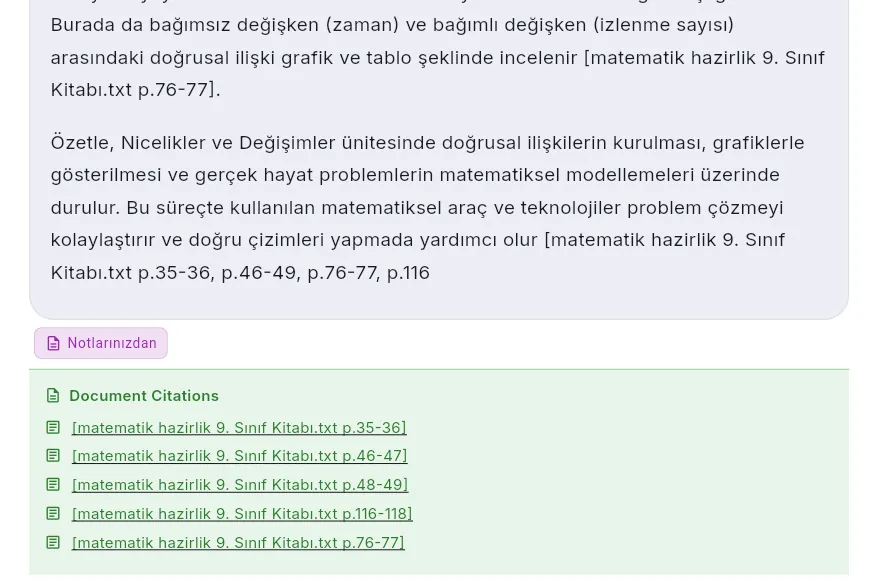
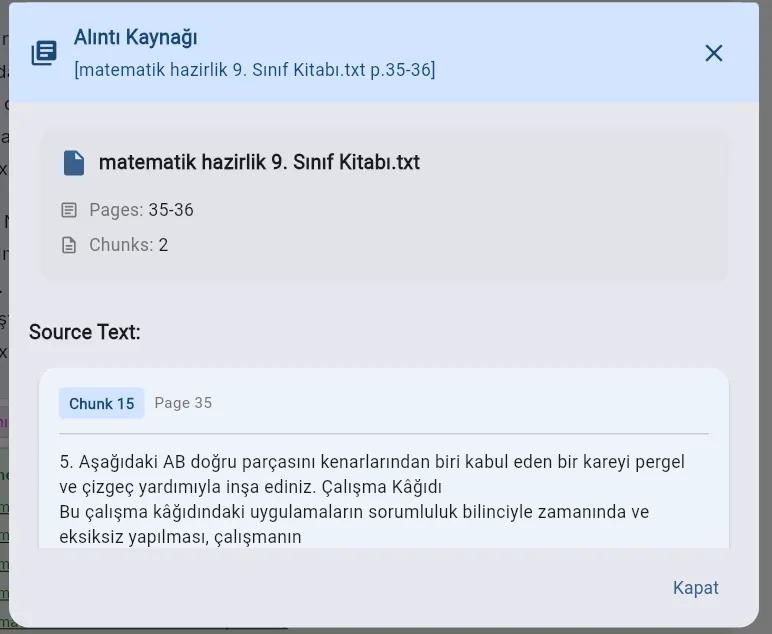
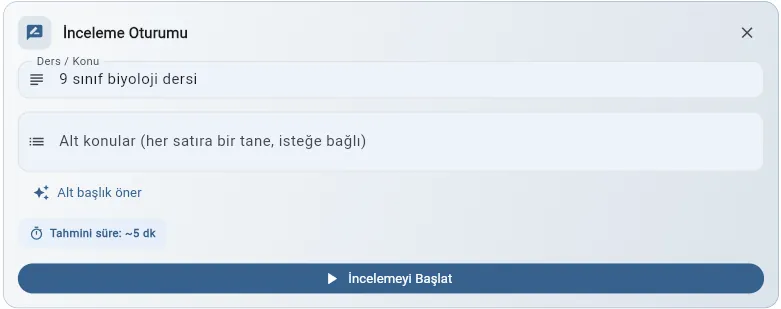
Upload PDFs, Word docs, or Markdown files and create a private AI tutor with full context of your materials. Ask anything with page-level citations, or switch to Review Mode to actively revise a topic, chapter, or uploaded file content with guided questions and instant feedback.
[Bio.pdf p.42-43] inline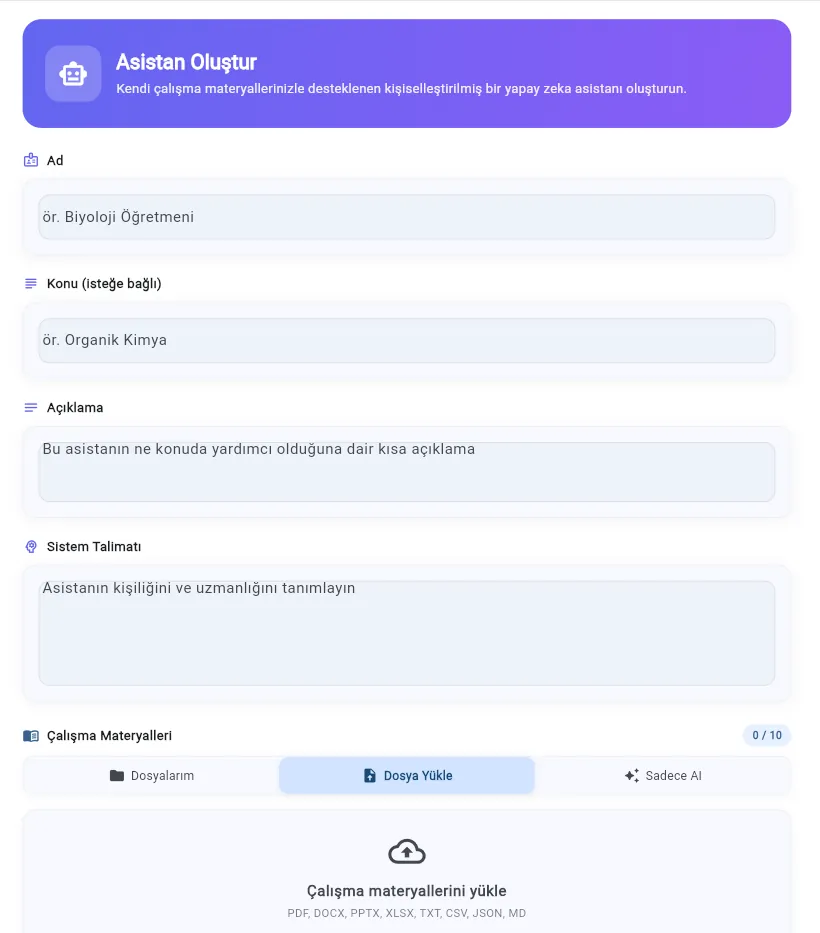
Don't just rely on what the AI knows. ScolerAI asks what you're actually after, searches university, government and reference domains, scores every source it keeps, and writes a summary where each claim carries a reference you can open.
A reasoning model asks about scope, your level, how deep to go, what you'll use it for and the angle you care about — tap an option, type your own, or skip the ones that don't matter.
Each source is rated out of 100 from domain authority, recognised educational publishers and the language of the page itself, with commercial pages losing points. Anything under 30% is dropped and the rest are ranked by it. It measures how far a source can be trusted, not how well it matches your topic.
Every kept result is opened and read end to end, and no two sources come from the same site — the summary is written from those pages, in your language, not from a list of links.
Every claim carries a numbered reference — tap one and the sources panel opens on that card. Each run is saved to your history with all its sources.
Tell ScolerAI about your hobbies, goals, and passions. From that moment on, every explanation, analogy, and greeting is tailored to who you are — making learning feel natural and relevant.
Teach me about projectile motion
Hey Alex! 👋 You know that perfect arc when you shoot a three-pointer? That's projectile motion in action! The ball follows a parabolic path — gravity pulls it down while your throw pushes it forward. What do you think determines how far the ball travels?
Your AI tutor remembers your name and greets you warmly at the start of every session.
Love basketball? The AI explains physics with slam dunks. Into gaming? Chemistry becomes a crafting system.
Share your dream career or short-term goals — the AI connects every lesson to what matters most to you.
Hobbies, sports, arts, tech interests, dream projects — your profile shapes every conversation.
No typing needed. Speak naturally, get spoken answers in real time. It's the most intuitive way to learn.
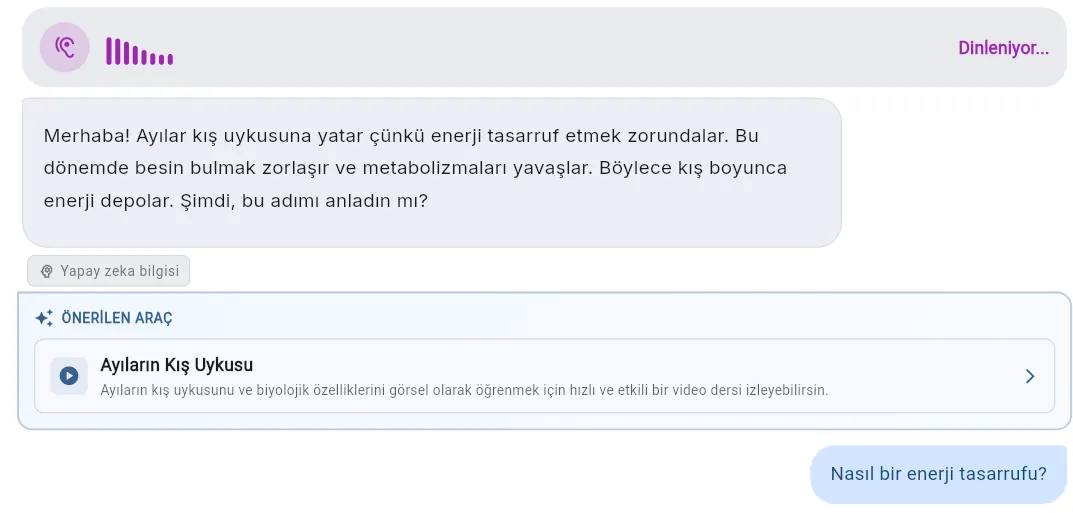
Speak as you would to a real tutor. No commands, no buttons — just talk.
AI listens, understands, and speaks back instantly — no waiting for typed replies.
Voice sessions use the same adaptive engine — progress, mastery, and documents all integrated.
Speak and listen in English, Turkish, Spanish, or French — the AI adapts to your language.
Ask for a beating heart, a plant cell or the solar system and get a 3D model built for your lesson. Orbit it, zoom in, open it up and explore it part by part.
Drag to rotate, pinch or scroll to zoom, and pick any part to see what it does.
A guided tour, live sliders and switches — like cutting away a heart's outer wall — chosen for what you're studying.
Every scene is generated for your topic and in your language, and checked before it reaches you.
Up to 5 new 3D scenes a month, and 10 while you're in the Rhythm Club.
Study Tools
Not just a pile of features. Every tool is organized around what you're actually trying to accomplish.
"I need to actually understand this topic, not just read about it."
Structured, quiz-gated lessons with heading-level mastery tracking and Guided or Challenge pacing.
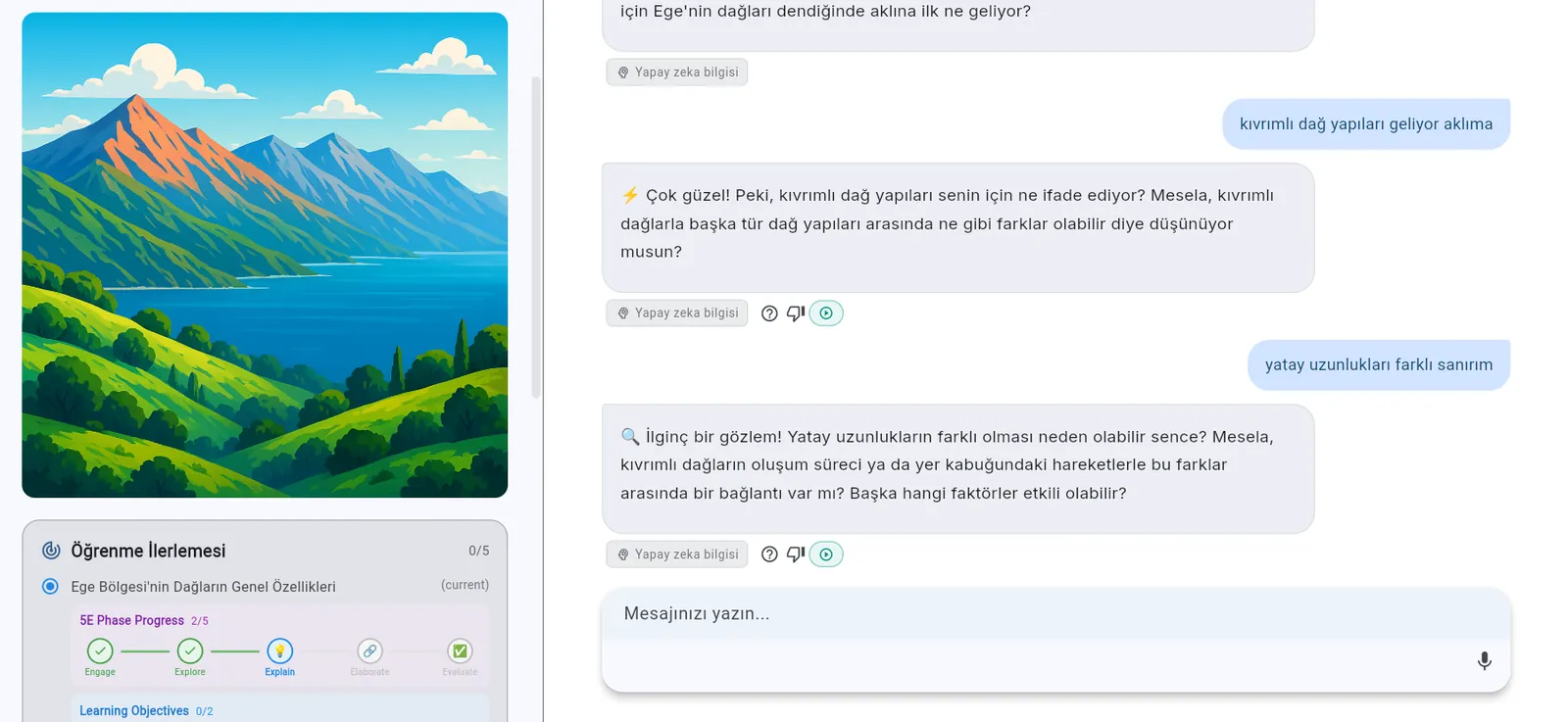
Inquiry-driven 5E lessons where you discover concepts before they're explained.
Describe a topic → get a full course with structured lessons, quizzes, and progress tracking.
Upload your own PDFs/docs → get a private tutor with page-level citations from your materials.
Academic web search with numbered citations. Dig deeper into any topic with live scholarly sources.
Orbit, zoom and explore a 3D model built for your topic, part by part — a beating heart, a cell, a machine. On Premium.
"I think I understand it, but I'm not sure I can actually solve problems."
Multiple choice, true/false, short answer & essay — AI-graded with instant feedback and explanations.
AI images (real photo or illustration), rich infographics, interactive apps, 3D scenes & 6 chart types — see concepts, don't just read them.
Get quick answers by typing, uploading images or files. Ask the AI tutor to challenge you for deeper practice.
"I study hard but forget everything by exam day."
AI generates 5–25 cards per set. General or terminology-only decks, with mastery tracked per card.
Auto-generated study notes from any session — comprehensive or concise, with LaTeX and export support.
Turn any topic into an audio podcast with 7 formats — from solo monologue to 3-voice panel discussions.
AI turns any topic into animated slide-based video lessons with creative themes and narration scripts.
"I have an exam in 10 days and no idea where to start."
Upload a syllabus photo or describe your goal → get a phased study plan with tasks, deadlines, and tool recommendations based on Bloom's Taxonomy.
Calendar view, urgency grouping, dashboard integration — every task links directly to the right study tool.
Talk to your AI tutor hands-free — real-time speech-to-text and text-to-speech for on-the-go review.
Snap a photo of homework, a diagram, or an equation → get an instant AI explanation.
Dashboard
See everything at a glance — recent sessions, resumable progress, upcoming tasks, and study streaks. One place to keep learning on track.
Pick up exactly where you left off — your session state and progress are saved automatically.
Quick access to your latest adaptive, constructivist, and instant chat sessions with timestamps and summaries.
See upcoming deadlines and tasks grouped by urgency — directly linked to the right study tool.
A unified timeline of sessions, notes, quizzes, flashcards, courses, and podcasts across all your tools.
Multilingual
ScolerAI isn't just translated UI — the AI tutor thinks and responds in your chosen language. Full interface and AI support in 4 languages today, with more on the way.
What is photosynthesis?
Photosynthesis is the process by which plants convert sunlight into energy, using carbon dioxide and water to produce glucose and oxygen.
¿Qué es la fotosíntesis?
La fotosíntesis es el proceso por el cual las plantas convierten la luz solar en energía, usando dióxido de carbono y agua para producir glucosa y oxígeno.
Fotosentez nedir?
Fotosentez, bitkilerin güneş ışığını enerjiye dönüştürdüğü, karbondioksit ve su kullanarak glikoz ve oksijen ürettiği süreçtir.
Qu'est-ce que la photosynthèse ?
La photosynthèse est le processus par lequel les plantes convertissent la lumière du soleil en énergie, en utilisant le dioxyde de carbone et l'eau pour produire du glucose et de l'oxygène.
Smart Toolkit
Built-in utilities that keep you in the flow — no context switching needed.
Your coach remembers what you studied and what's due. Come back and it proposes the follow-up — the next task in your plan, a quiz on yesterday's session, flashcards for what didn't stick — and builds it in one tap.
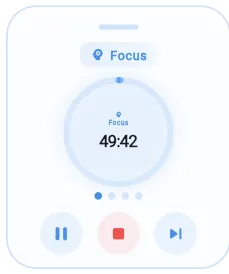
Stay focused with a built-in Pomodoro timer. Set work and break intervals, track study sessions, and build a consistent study habit — all without leaving the app.
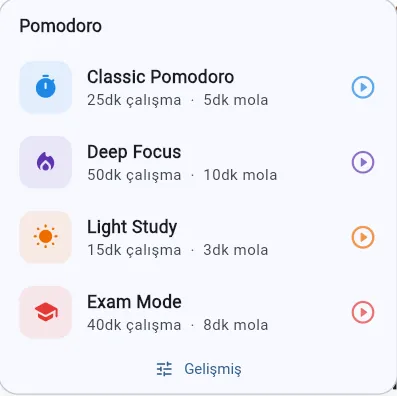
ScolerAI nudges you at the right moment — plan reminders, pomodoro alerts, and auto-generated daily and weekly summaries so you never lose your streak.
Why ScolerAI?
Other AI tools are good at a chat, a notebook or a flashcard deck. ScolerAI is built around the whole study arc: a coach that builds your next step, lessons with a quiz gate, a plan whose tasks open the right tool, and progress you can see.
| Feature | ScolerAI | AI assistantsChatGPT, Gemini, Claude, Copilot | Source notebooksNotebookLM (Gemini Notebook) | Study-aid appsStudyFetch, Knowt, Turbo AI, Quizlet | Homework helpersKhanmigo, Gauth, Brainly |
|---|---|---|---|---|---|
| A coach that turns one conversation into a ready-made study tool | Talks, builds nothing | Knowt's Kai quizzes you by voice | |||
| Lessons with a quiz gate per heading, graded by a second AI | Gemini study notebooks: diagnose, then lessons | ||||
| Choose how you are taught: adaptive, challenge or inquiry (5E), eight tutor styles | One Socratic mode | Learning Guide style | Khanmigo: no answers | ||
| A study plan where every task opens the right tool, ready to start | Schedules and scheduled tasks | StudyFetch, Knowunity planners | |||
| Interactive apps, animations and 3D scenes built for your concept | Gemini interactive visuals | Infographics, slides | |||
| Progress in four dimensions, including how responsibly you use AI | Gemini performance tracker | Per-session progress | |||
| Finish real sessions, earn more of everything (Rhythm Club) | Arcade, streaks | Khanmigo energy points | |||
| 15+ tools that hand work to each other | Many outputs, one notebook | StudyFetch, unconnected | |||
| Your own PDFs and books, answered with page citations | A photo of one problem |
has it part of it, or only one product in the group not offered
ScolerAI is not a replacement for a good teacher. It is the structured, always-available practice between lessons.
Privacy & Trust
ScolerAI is built privacy-first and GDPR-compliant. Your documents, sessions, and notes are scoped to your account and never shared — and you're always in control.
A clear consent gate with granular, versioned choices — you decide what's required vs. optional before you start.
Export all your data — sessions, notes, plans, profile, and mastery — in one portable archive (GDPR Article 20).
One action permanently removes your account and all associated data. No dark patterns, no hoops.
Row-level security scopes every record to your user ID. Encrypted over HTTPS. Never sold, never shared.
Age is checked against each country's own rules, a parent is named for every minor, every AI reply is moderated, and a learner in distress gets a calm answer and the local emergency number.
Generated images, audio and video carry a machine-readable AI mark and a visible badge (EU AI Act, Article 50). Any AI reply can be flagged right where you read it.
FAQ
Any subject — from STEM (math, physics, chemistry, biology, CS) to humanities (history, literature, philosophy), languages, and professional fields like economics, medicine, and law. The AI adapts its teaching to any topic.
Upload PDFs, Word docs, PowerPoints, Excel files, or Markdown. ScolerAI chunks the text, generates vector embeddings, and stores them securely. When you ask a question, it performs semantic search across your documents and returns answers with page-level citations like [Biology.pdf p.42-43].
Yes. All your data is stored under your personal account with strict, row-level security rules — only you can access it. Your documents, sessions, and notes are fully private and never shared with other users. All communication is encrypted over HTTPS.
PDF, DOCX, DOC, PPTX, XLSX, TXT, and Markdown (.md) — up to 10 files and 2,000 total pages per Learning Assistant.
Pick any topic and choose from 7 podcast formats: solo monologue, Q&A explainer, news brief, and storytelling use 1 voice; two-host dialogue and interview use 2 voices; panel discussion uses 3 voices. The AI writes a full educational script, converts it to natural-sounding audio, and saves it to your library. Adjust speed, pick your preferred voices, and listen anytime.
Absolutely! Enter a topic and the AI generates a full animated slide-based lesson — complete with a creative theme, narration script, and visually rich slides. Choose concise or detailed, and the AI handles the rest. It's like having a presentation designer and a teacher rolled into one.
ScolerAI can run on iOS, Android, and Web platforms, but currently only the Web platform is available.
Adaptive Learning is dialogue-based — the AI explains, asks concept-checking questions, and uses quizzes to gate progression. Constructivist mode is inquiry-based — the AI shows you a visual first, asks what you observe, and guides you to discover concepts yourself before naming them. Both track mastery per heading.
Enter your topic, knowledge level, and goal (optionally upload a syllabus photo or PDF). The AI asks a few follow-up questions, then generates a phased study plan with concrete tasks, estimated durations, and tool recommendations based on Bloom's Taxonomy. Tasks sync to your dashboard and link directly to the recommended study tools.
ScolerAI's AI Study Suggestions engine analyzes your quiz scores, session completion rates, and weak subjects across all your study plans. For School Plans, the built-in School Plan Analyzer detects study debt — topics that are overdue or falling behind — and generates catch-up recommendations. The Quick Study Launcher on your dashboard gives you one-tap shortcuts to resume exactly where you left off.
ScolerAI is free to start. Paid plans with higher monthly limits are coming; the free plan stays free.
ScolerAI is open now: create a free account at app.scolerai.app. The Android app is in open testing on Google Play.
Yes. Any topic, file or finished session can become AI notes, a flashcard deck, a quiz, a podcast in 7 formats with up to 3 voices, a narrated video lesson, a visual or a research report — in English, Turkish, Spanish or French. Video lessons are on the Premium plan.
Yes. Web mode in the lesson chat and the Web Research tool search academic sources first and cite them by number. Every quoted citation is checked against the page before it is shown; a claim that cannot be verified is marked as the AI's own knowledge.
Yes. Real-time voice runs in the coach, in lessons and over your own documents, in all four languages, and you can interrupt mid-sentence. Real-time voice is on the Premium plan; every plan has the typed coach, dictation, and read-aloud with your device's voice.
Not on the first try. On a problem, exercise or exam question the tutor names what the question is made of, lays out the method, gives a hint and asks you to try. Ask for the solution in your own words and you get it. Reason and Math modes hold this line on every turn.
Create your free account, and the first thing you'll meet is a coach asking what you're working on. Free to start — no credit card required.
Start for free